Rupert Chesman
or Space to navigate
1 / 1
Claude
Free live session · this week

Your First Hour with Claude

From “I’ve heard of Claude” to talking to it, watching it build, and setting it running on its own.

Welcome

One relaxed hour. One tool, done properly.

Claude is an AI assistant from Anthropic. Today we’ll skip the hype and just use it — live, on screen — so you leave having watched Claude answer, build, work, and run on its own. No jargon, nothing assumed.

60 minutes6 quick lessonsTotal beginners welcome
The hour ahead

Six steps in sixty minutes

  • Meet Claude — the three modes
  • Your first chat — getting a great answer
  • Artifacts — Claude builds a real app, live
  • Cowork — Claude works on your computer
  • Scheduled tasks — Claude on autopilot
  • Where to next — recap & the rest of the series
1
Lesson 1

Meet Claude

What Claude is, and the three ways to use it — Chat, Cowork and Code.

The three modes

One tool, three modes

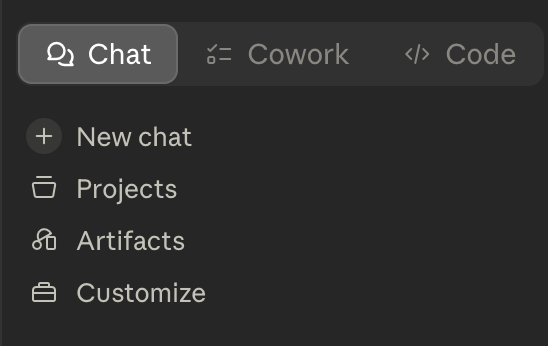
  • Chat — ask and answer, the familiar chatbot
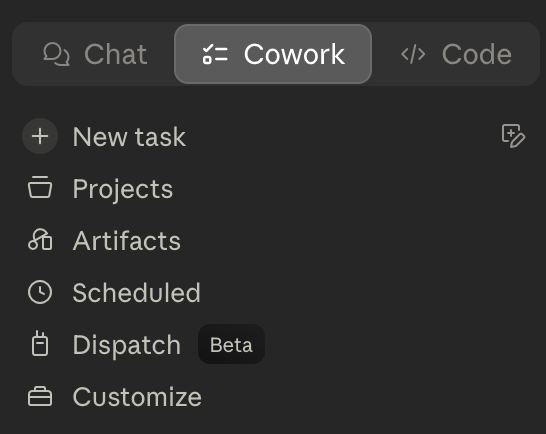
  • Cowork — Claude works on your computer: files, apps, scheduled jobs
  • Code — Claude builds and edits real software
  • The models: Opus (most capable), Sonnet (balanced), Haiku (fastest)
On screen

Chat, Cowork, Code

Chat
Chat
Cowork
Cowork

More capability, more trust.

The further you go — Chat → Cowork → Code — the more Claude can do, and the more setup and trust it needs.

2
Lesson 2

Your First Chat

Talking to Claude — and what turns a so-so answer into a great one.

What makes a good request

Brief it like a sharp colleague

  • Give context — who it’s for, what you’re trying to do
  • State a specific goal, not a vague wish
  • Ask for the format you want — a list, a table, three options
  • Follow-ups are cheap — it’s a conversation, refine as you go
On screen

Claude gives a verdict, not a wall of text
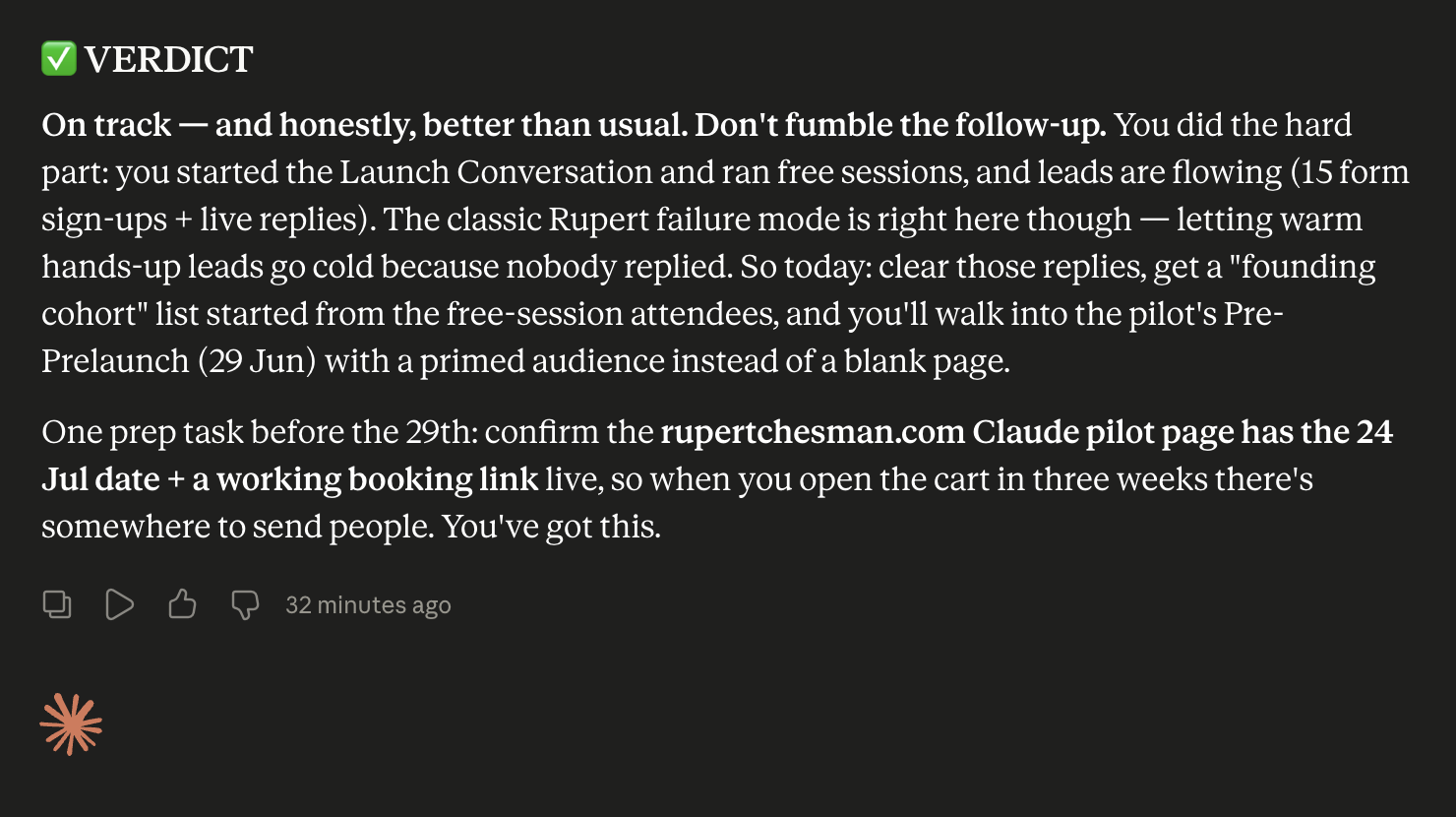
A real reply: a clear bottom line and a next step
3
Lesson 3

Artifacts

Watch Claude build a real, interactive app — live, and changeable on request.

Why artifacts matter

Claude is a maker, not just a talker

  • An artifact is a working app — the buttons and filters actually work
  • It pulls messy real-world inputs (dates, prices, places) together
  • It’s changeable on request — “add a free-only toggle”
  • It persists — re-open and refresh it later
On screen

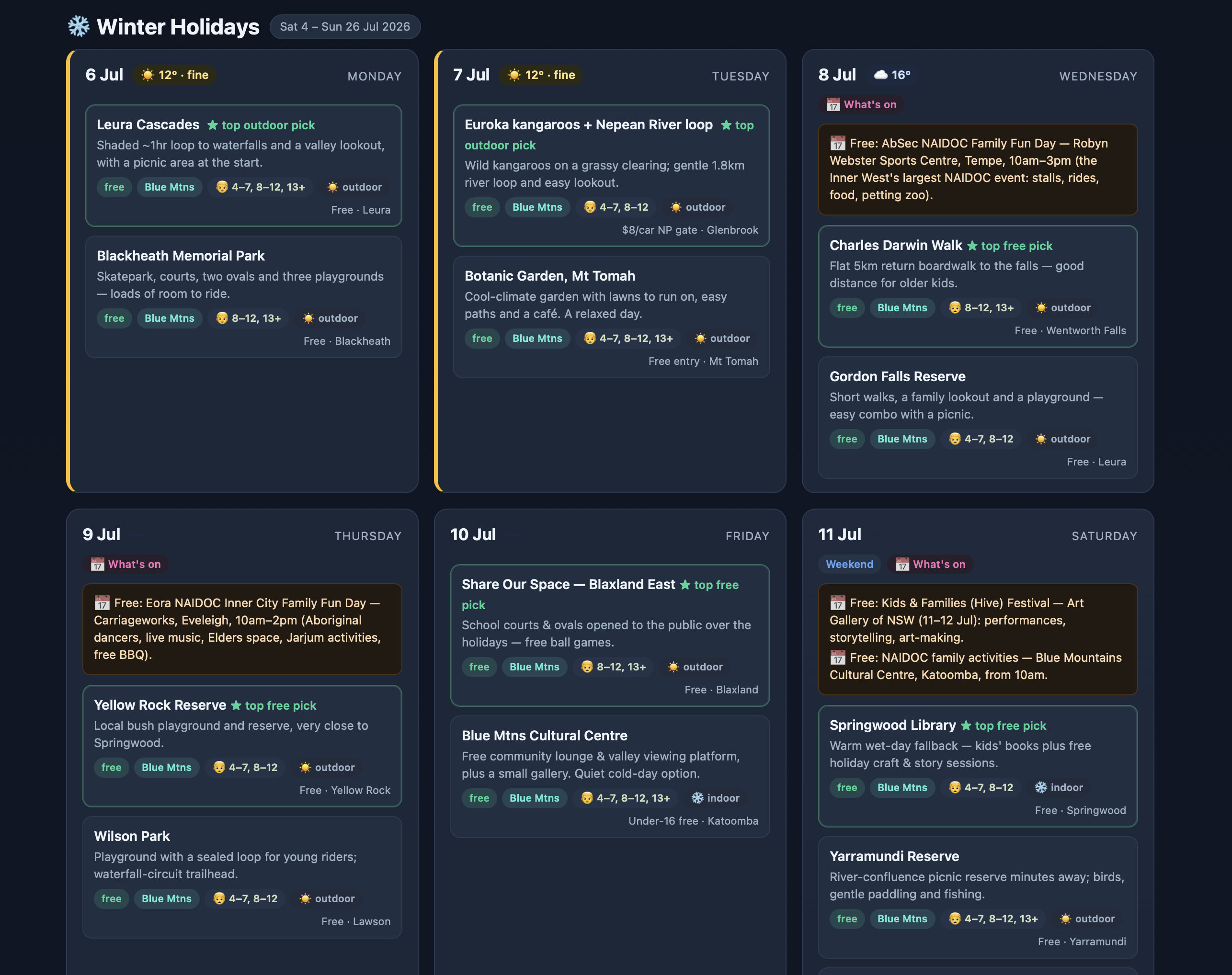
A holiday planner Claude built, live
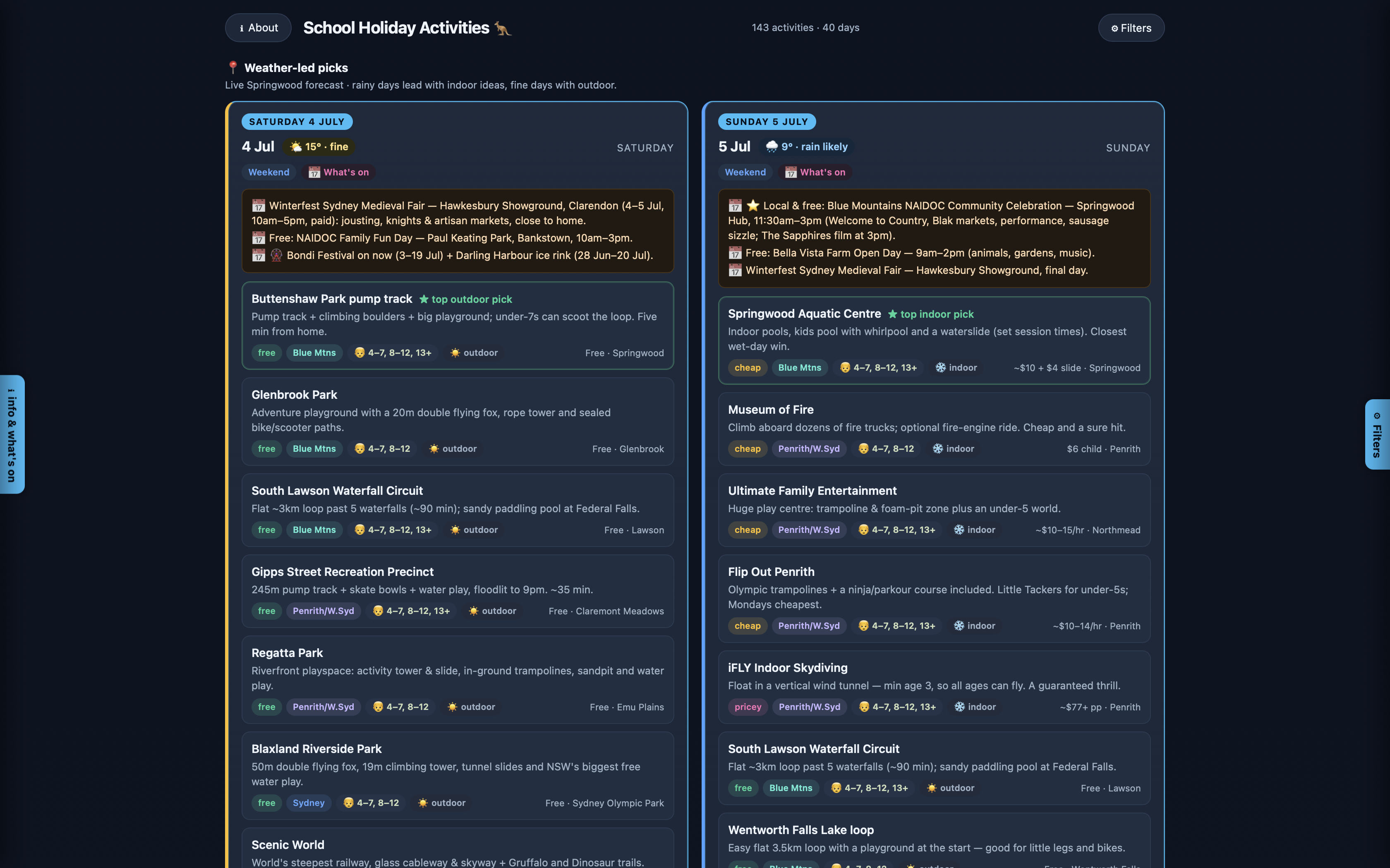
School Holiday Activities — a filterable board of family activities
On screen

Filter it, view it your way
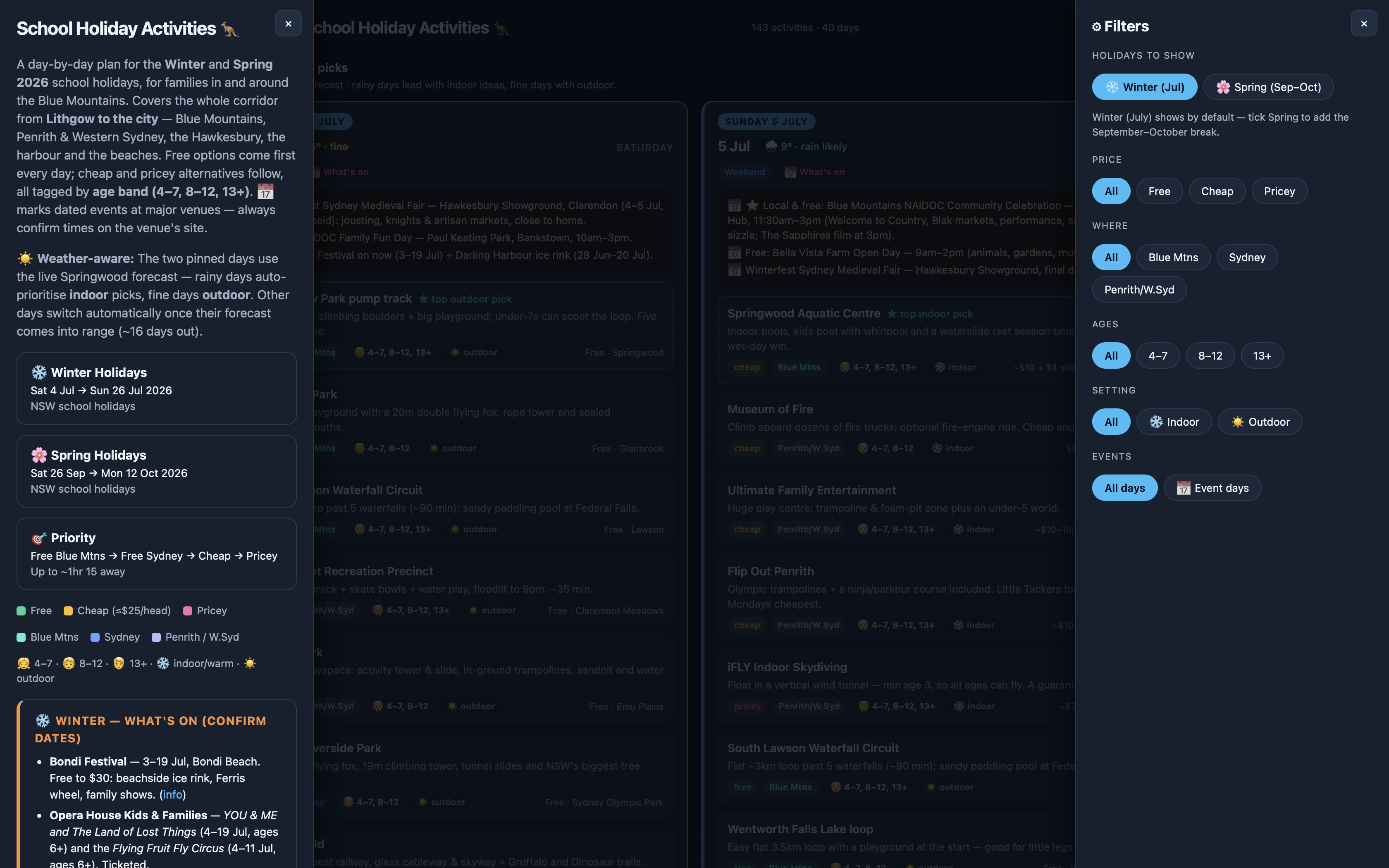
Filter by price, place, age, setting
A day-by-day calendar view
4
Lesson 4

Cowork

Claude stops being a chatbot in a box and starts acting like a colleague with hands.

What Cowork can do

Claude, on your computer

  • Reads and writes your files — real documents on your machine
  • Uses connected apps like Calendar and Gmail (with your permission)
  • You give it a task; it does the work and reports back
  • You stay in control — Claude drafts, you approve
On screen

A morning brief Cowork made
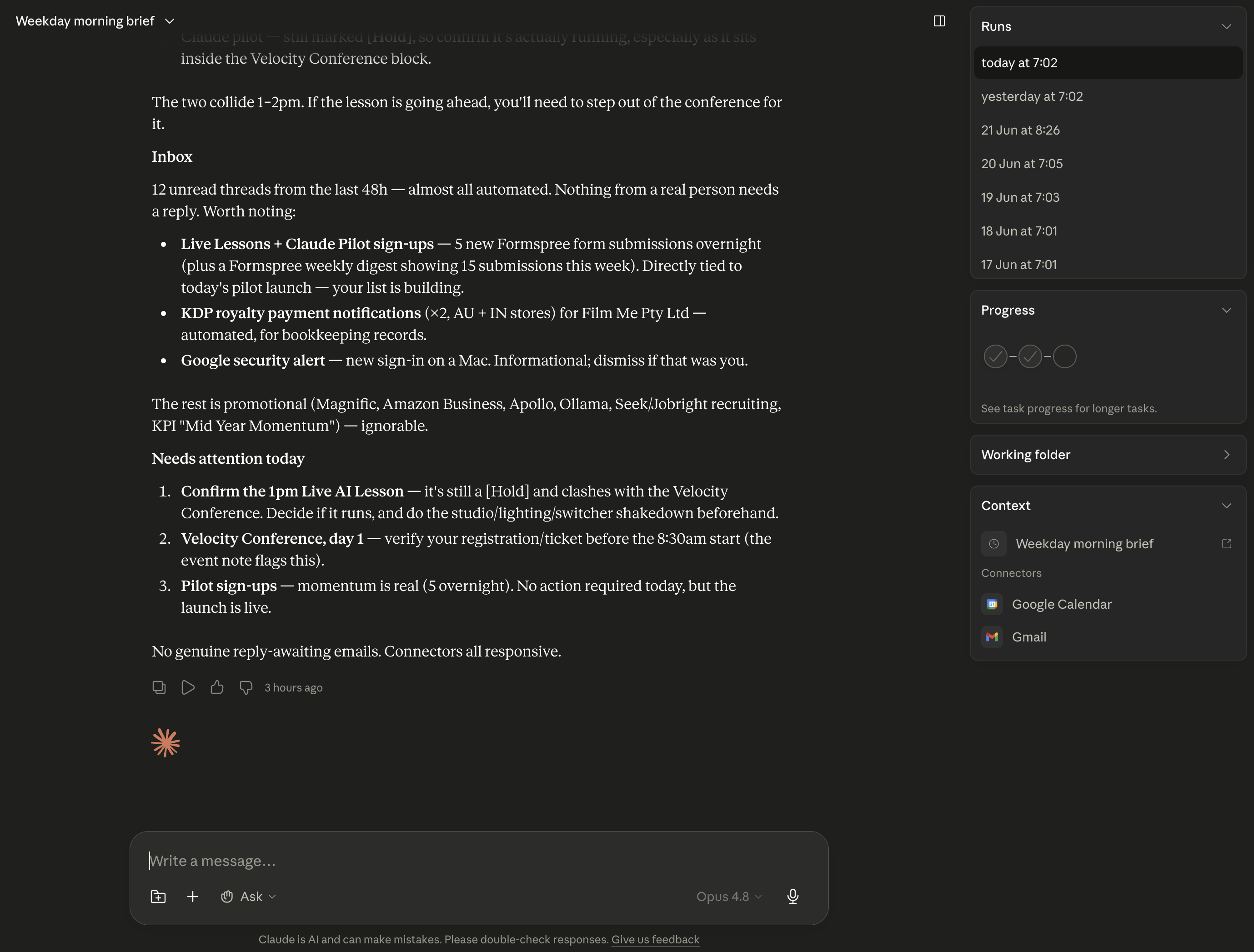
Today’s calendar, inbox and what needs attention — done for you
5
Lesson 5

Scheduled Tasks

Set up recurring jobs that run while you sleep — and wake up to them done.

Anatomy of a scheduled task

Set it and forget it

  • A saved instruction — what to do each time
  • A cadence — daily, weekdays, or weekly
  • It runs automatically and leaves you the result
  • Great starters: a morning brief, a news digest, the weekly shop
On screen

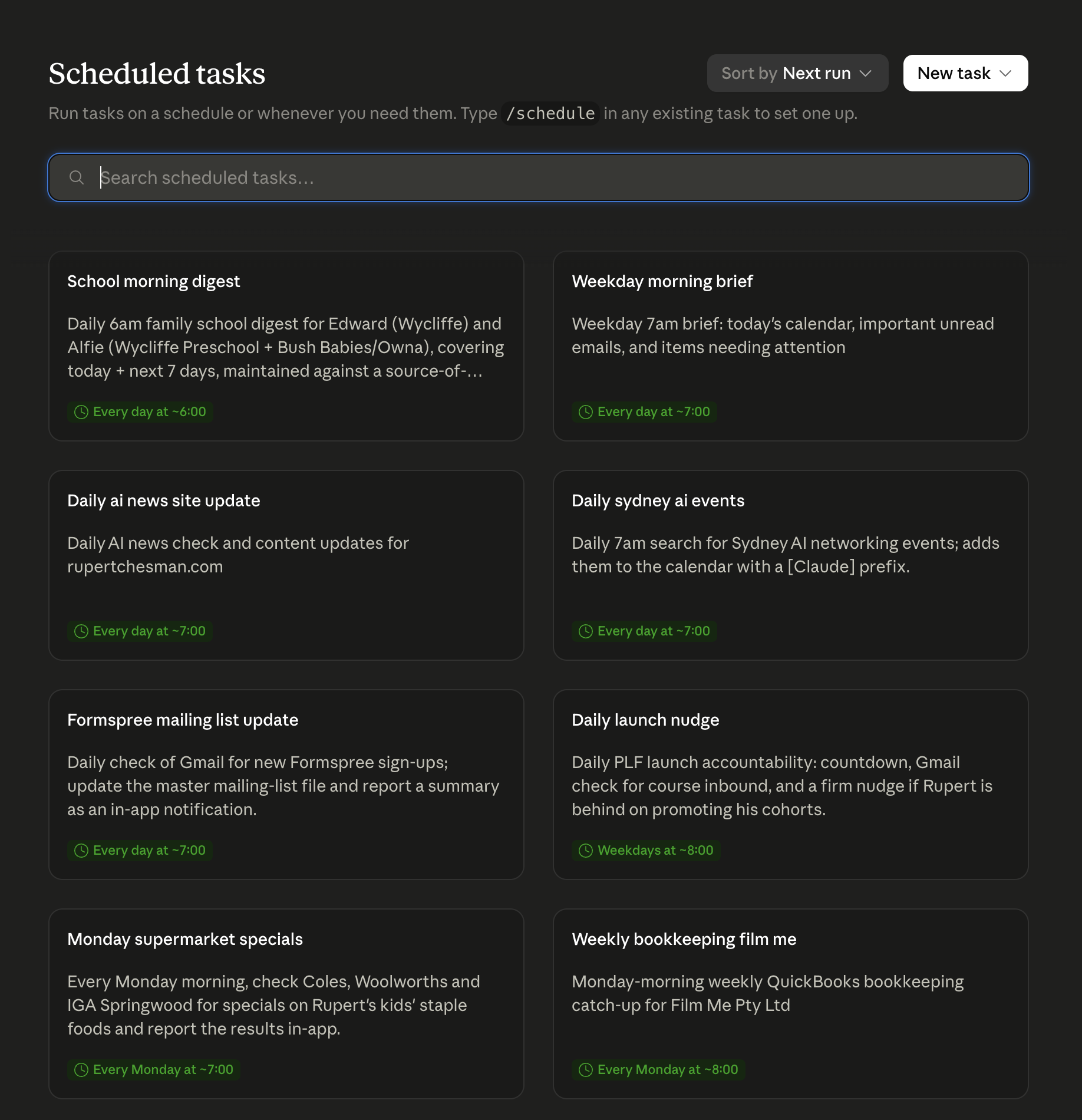
Jobs that run on their own

A grid of recurring tasks — each with its own schedule and history
6
Lesson 6

Where to Next

You’ve seen Claude answer, build, work and run on its own. Here’s how to keep going.

Recap

The whole hour, in three words

Chat

Ask and answer — your everyday front door.

Cowork

Claude works on your computer: files, apps, jobs.

Code

Build real software by describing what you want.

The one big idea

More capability, more trust. Start with Chat — grow from there.

On screen

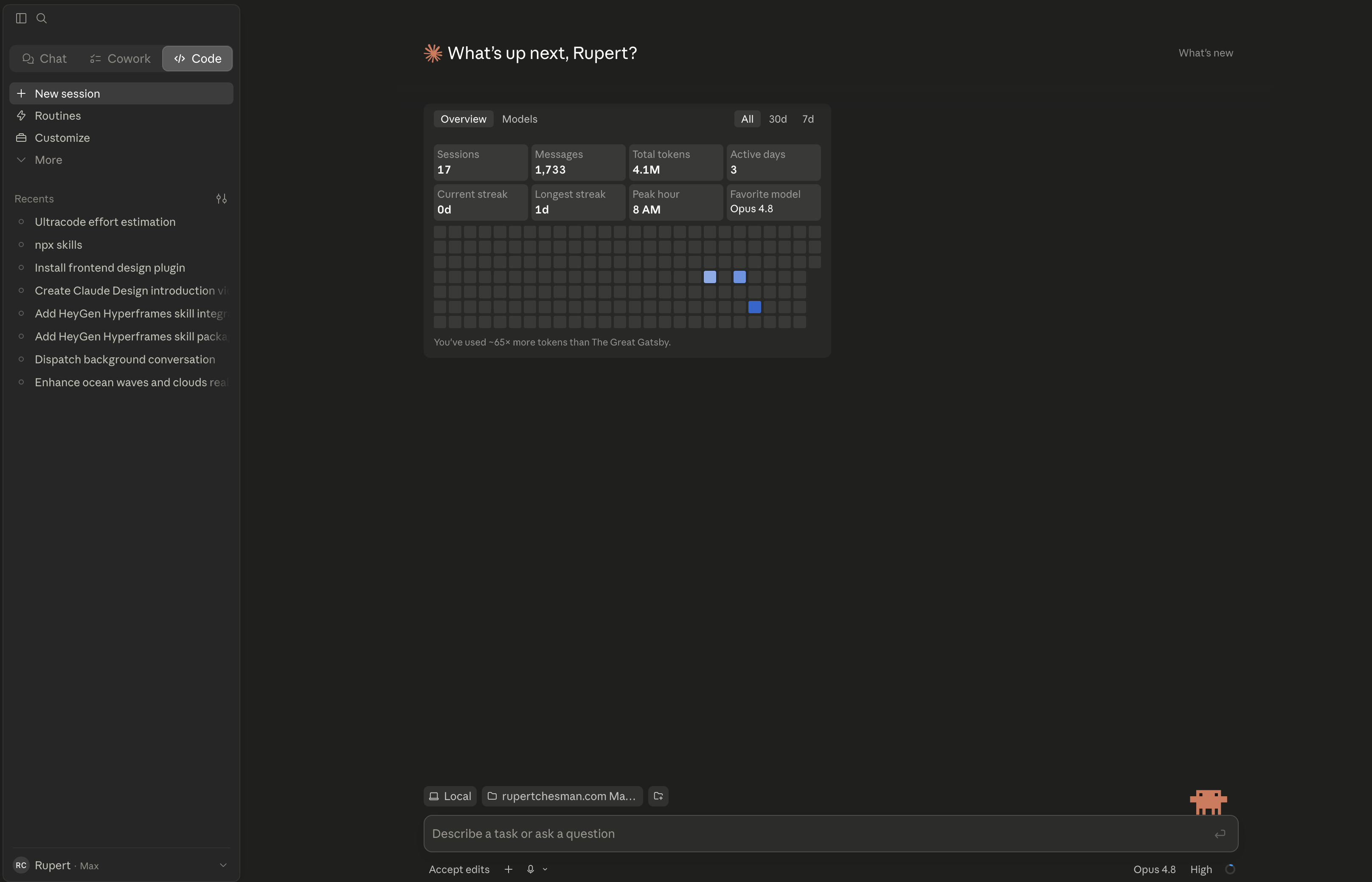
It all comes together

Your Claude dashboard — usage, streaks and recent work
Claude

That’s your first hour.

Join the rest of the free series this week:

Tue 23 JunYour First Hour with Claude
Wed 24 JunMidjourney & video creation
Thu 25 JunDo your taxes with Claude Cowork
Fri 26 JunBuild something with AI in an hour

rupertchesman.com/live.html